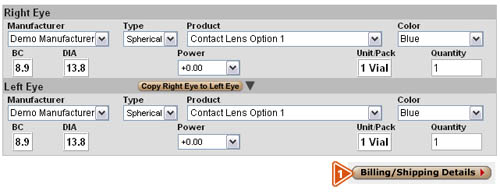
- Billing/Shipping Details—When you are ready to continue with the order, click the “Billing/Shipping Details” button at the bottom of the screen.
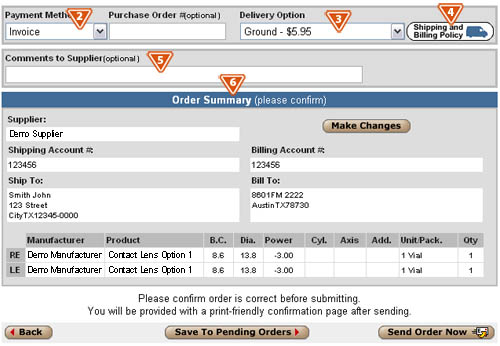
- Payment Method/Purchase Order #—Select a method of payment from the drop-down menu, and if applicable, enter the purchase order number.
- Delivery Option—Select the desired delivery option from the drop-down menu.
- Shipping and Billing Policy—Click the “Shipping and Billing Policy” button to view the supplier’s shipping and billing policy. Available options are determined by the supplier.
- Comments to Supplier—Include any specific instructions or comments to the supplier in this field.
- Order Summary—The Order Summary will be displayed at the bottom of the screen with the information you have entered for the order. You should confirm the order is correct before submitting.
|
 Contact Lens Patient Delvery | Completing The Order