Spectacle Lens Ordering | Order Confirmation
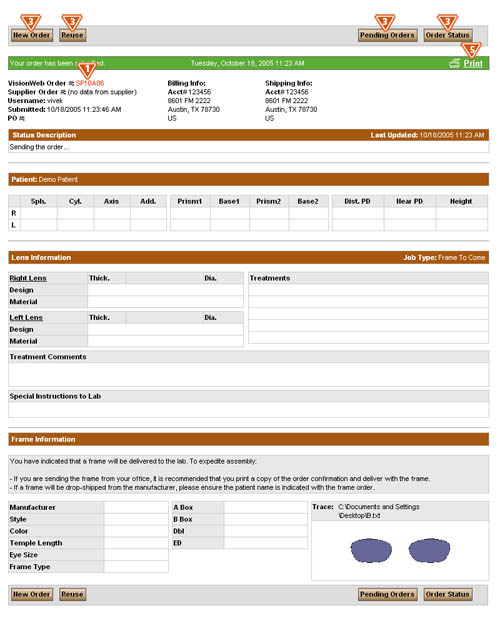
Once you have clicked the “Send Order Now” button, you will receive your order confirmation that contains the following information:
- The Order Number will appear at the top of the page.
- If you chose a frame shape or uploaded a trace file, you will see the shape of the frame on this page. Note the frame shape will not appear for all Job Types.
- On the Order Confirmation page you will have the option to:
- Select to place a new order by clicking the "New Order" button.
- Select to reuse the order as the basis of a new order by clicking the "Reuse button.
- Select to view the status of your orders by clicking the "Order Status" button.
- Select to view your pending orders, by clicking the "Pending Orders" button.
- You can also use the navigation at the top of the page to navigate to any part of the site.
- You can print copies of the order summary page by clicking the printer icon located next to the “Close This Window” button at the top of the order summary page. You may want to print two copies of this page; one to act as a packing slip if you are sending the frame to the lab, and one to keep in the patient’s tray or file.